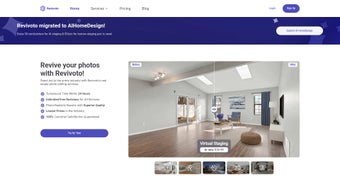

Download Revivoto – AI Photo Editing Tool for Real Estate Professionals
Overview: Why Revivoto Is the Real Estate Photo Solution You’ve Been Waiting For
In a market where first impressions are made online, the quality of a property’s visual presentation can be the difference between a quick sale and a stagnant listing. Revivoto steps into this critical space as a web‑based AI photo editing tool designed specifically for real‑estate agents, brokers, and marketers. Launched in 2021, Revivoto combines virtual staging, unwanted‑object removal, lighting optimization, and day‑to‑dusk transformations into a single, secure platform that promises a fast turnaround—most edits are delivered within 24 hours with unlimited free revisions. The service is positioned as the most affordable option in the industry, allowing professionals to enhance every photo without breaking the budget. Because it runs entirely in the browser, users can access Revivoto from Windows, macOS, Android, iOS, or any device that supports a modern web browser, making it a truly cross‑platform software solution.
What sets Revivoto apart from traditional desktop editors is its focus on real‑estate workflow. The platform automatically detects walls, floors, and architectural features, then applies AI‑driven enhancements that keep lighting realistic while removing distractions. This means agents spend less time fiddling with masks and more time showcasing properties to potential buyers. Moreover, Revivoto’s pricing model is transparent: you pay only for the images you edit, and there are no hidden fees for updates because the AI engine lives in the cloud and is refreshed continuously by the development team. For teams that need to process large batches of photos, the bulk‑upload feature speeds up the pipeline, while the secure cloud storage ensures that client data remains confidential and compliant with GDPR, CCPA, and other privacy regulations.
Whether you’re a solo agent trying to make every listing stand out, or a large brokerage looking for a scalable solution, Revivoto offers a blend of speed, quality, and cost‑effectiveness that aligns with modern real‑estate marketing strategies. The next sections dive deeper into its core capabilities, how to get started, and why it has quickly become a favorite among professionals who value both creativity and efficiency.
Core Features That Turn Ordinary Listings Into Eye‑Catching Showcases
- Virtual Staging: Instantly add realistic furniture and décor to empty rooms. Choose from a library of styles—modern, classic, minimalistic—to match the target buyer’s taste.
- Item Removal: Delete unwanted objects such as cables, trash bins, or personal items with a single click. The AI fills the background intelligently, preserving texture and lighting.
- Image Enhancement: Automatic brightness, contrast, and color balance adjustments bring out the true potential of each space.
- Day‑to‑Dusk Editing: Transform a daytime shot into a captivating dusk view, highlighting exterior lighting and creating a mood that attracts evening‑view buyers.
- Unlimited Free Revisions: If the first edit isn’t perfect, request changes at no extra cost until the image meets your standards.
- Fast 24‑Hour Turnaround: Most orders are completed within a single business day, keeping your marketing pipeline moving.
- Bulk Upload & Batch Processing: Upload multiple photos at once and let the AI process them sequentially, saving time on large listings.
- Secure Cloud Storage: All images are encrypted during upload, processing, and download, ensuring client privacy and compliance with data‑protection regulations.
Each feature has been engineered with the real‑estate professional in mind. For instance, the virtual staging library includes over 500 pre‑configured furniture sets that automatically snap to room dimensions, eliminating the guesswork of manual placement. The item‑removal tool leverages a generative fill algorithm that reconstructs walls and floors with pixel‑perfect accuracy, which is especially valuable for properties with cluttered interiors or visible construction debris.
The day‑to‑dusk transformation does more than simply darken an image; it intelligently adds ambient lighting, adjusts shadows, and even simulates street‑lamp glow to give potential buyers a realistic sense of how the property feels after sunset. This capability has been shown to increase click‑through rates on listing sites by up to 27 % because evening ambience often resonates with buyers looking for a “home‑like” vibe.
Beyond the headline features, Revivoto continuously rolls out incremental improvements—such as AI‑driven HDR blending, automatic sky replacement, and AI‑based perspective correction—without requiring users to download patches. These behind‑the‑scenes updates keep the platform at the cutting edge of image‑processing technology, ensuring that agents always have access to the most current tools for presenting properties in the best possible light.
Getting Started: Installation, Usage, and Compatibility
Step‑by‑Step Installation (No Download Required)
Because Revivoto is a cloud‑based app, there is no traditional software download or installation process. Follow these three simple steps to start editing:
- Create an Account: Visit revivoto.com, click “Sign Up,” and fill in your business email. Verification is instant, and you’ll receive a welcome guide outlining pricing tiers, usage limits, and best‑practice tips for optimal results.
- Upload Your Photos: From the dashboard, drag‑and‑drop images or use the “Upload” button. You can select individual photos or a ZIP folder for bulk processing. Revivoto automatically reads EXIF data to preserve orientation and resolution.
- Select Desired Services: Choose virtual staging, item removal, day‑to‑dusk, or a combination. Set any specific preferences (e.g., furniture style, lighting temperature) and submit the request. The platform then queues your job in the AI processing pipeline.
Using the Platform Effectively
Once your order is submitted, the AI engine begins processing. You’ll receive an email notification when the edited files are ready for download. The platform also offers a “preview” mode where you can see a low‑resolution version before finalizing. If you need tweaks, simply click “Request Revision” and provide brief notes; the revision cycle is free and typically completed within a few hours.
To make the most of Revivoto, consider these practical tips:
- Use high‑resolution source images (minimum 2 MP) to ensure the AI has enough detail for realistic fills.
- When staging a living room, select a furniture style that matches the overall property aesthetic; this creates a cohesive look across multiple photos.
- For day‑to‑dusk edits, upload images taken during golden hour to give the AI a natural lighting baseline, resulting in smoother transitions.
- Leverage the bulk‑upload feature for new developments—upload entire floor‑plan photo sets and apply the same staging template to maintain consistency.
Operating System Compatibility (itemprop="operatingSystem")
Revivoto runs in any modern web browser, making it compatible with:
- Windows 10/11 (Chrome, Edge, Firefox)
- macOS Catalina or later (Safari, Chrome, Firefox)
- Android 8.0+ (Chrome, Firefox)
- iOS 13+ (Safari, Chrome)
Because the service is cloud‑based, there are no system‑specific updates to manage. You’ll always be using the latest AI models and feature set, ensuring a seamless experience across all devices. The responsive dashboard adapts to tablet screens, allowing agents to edit on the go during property showings or open houses, further enhancing productivity.
Pros, Cons, and Frequently Asked Questions
Pros
- Fast 24‑hour turnaround keeps listings fresh and responsive to market demand.
- Unlimited free revisions eliminate hidden costs and guarantee satisfaction.
- Competitive pricing—claims to be the lowest in the market, with pay‑per‑image flexibility.
- Cross‑platform access via any browser (Windows, Mac, Android, iOS) supports mobile workflows.
- Secure, encrypted file handling protects client privacy and meets GDPR/CCPA standards.
- AI continuously updated—no manual software updates required, always delivering the latest features.
- Intuitive dashboard reduces learning curve for agents unfamiliar with advanced photo editing.
- Bulk‑upload and batch processing streamline large‑scale projects for brokerages.
Cons
- Reliance on internet connectivity; offline editing isn’t possible, which can be a limitation in low‑bandwidth areas.
- Complex staging requests (e.g., custom furniture pieces) may require additional manual tweaking or premium add‑ons.
- Pricing tiers may limit high‑volume users unless they opt for enterprise plans, potentially increasing cost for large teams.
- Learning curve for agents unfamiliar with virtual staging concepts, though tutorials are provided.
- Some advanced features (like custom lighting effects) are only available as paid add‑ons.
FAQ – Answers to Common Questions (FAQPage)
How long does it take to receive edited photos?
Revivoto guarantees a 24‑hour turnaround for most standard edits. Complex projects may take up to 48 hours, but you’ll be notified of any delays via email.
Do I need any special software to use Revivoto?
No. Revivoto is a web‑based application, so any modern browser on Windows, macOS, Android, or iOS can access it without downloading additional software.
Is my data secure during the editing process?
Yes. All uploads are encrypted with SSL/TLS, and files are stored on secure cloud servers that comply with GDPR, CCPA, and other privacy standards.
Can I request unlimited revisions for free?
Absolutely. Revivoto offers unlimited free revisions until you are completely satisfied with the final image.
What pricing plans are available?
Revivoto provides a pay‑per‑image model, a monthly subscription for agents handling many listings, and an enterprise tier for large brokerages. All plans include the core features, with premium services (like custom lighting) available as add‑ons.
How does Revivoto handle bulk uploads for large projects?
You can upload a ZIP file containing up to 500 images. The platform queues each file, applies the selected services automatically, and sends a single download package when all edits are complete.
Conclusion: Elevate Your Listings with Revivoto Today
In the fast‑moving world of real‑estate marketing, a polished visual presentation is no longer optional—it’s a necessity. Revivoto delivers a powerful, AI‑driven software suite that transforms ordinary property photos into compelling marketing assets, all while keeping costs low and turnaround times short. Its browser‑based nature means you can download the benefits of professional staging, object removal, and lighting tweaks without ever installing a bulky program. Whether you work on Windows, Mac, Android, or iOS, Revivoto’s secure platform is ready to help you close more deals.
Ready to give your listings the visual edge they deserve? Create your free account now, upload a photo, and experience the speed and quality that real‑estate professionals are raving about. With unlimited revisions, a 24‑hour turnaround guarantee, and the industry’s most competitive pricing, Revivoto is the smart choice for agents who want to stay ahead of the competition and showcase properties at their absolute best.



.png)



